
In these days, the biggest headache isn’t writing the code, but figuring out where it actually runs and how people reach it. Ten years ago, you had a server room and a big, heavy firewall, and if you were in the office, you were basically on the network. If you weren’t, you just used a slow, and very basic VPN.
In a modern setup, a single user action can end up going through quite a few places. It might pull data from a database in AWS, check identity through a service in Azure, and load images or videos from an edge server that’s closer to the user.
Once you start working like this, things get complicated pretty fast. When the system is spread across multiple cloud providers, even small delays or routing issues start to show up for the user, like pages loading slowly or not working as smooth as they should.
To manage this, teams have to start treating the network as software. Basically, something that connects and coordinates all these environments in a more modern way.
Cloud Networking Infrastructure
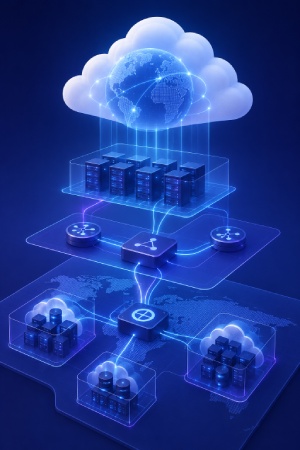
Think about what happens when an infrastructure team needs to spin up a new environment today. They expect to write a few lines of configuration and have a global network ready in ninety seconds, because they don’t want to wait three weeks for a telecom provider.
Traditional networking was built on boxes, cables, and static routing tables. So, if a router went down, someone often had to configure it manually. Today, most of that work happens through software instead. The professional teams can adjust capacity, routing, and traffic behavior from centralized platforms, and they don’t have to deal with the hardware.
The network can also respond automatically to demand. If traffic suddenly spikes during a big sales event or product launch, resources scale up in real time and scale back down once activity drops.
Infrastructure Components
Modern cloud networks rely on a few core components that keep systems connected, organized, and stable as traffic grows. The main ones are:
- Virtual Private Clouds: A VPC is basically a private space inside a public cloud where a company can run its systems. It lets teams separate internal services from the public internet, control who can access what, and decide how different parts of the system talk to each other.
- Load balancers: Most applications don’t run on a single server anymore. Load balancers split incoming traffic across multiple machines so one of them doesn’t get overloaded. If a server starts slowing down, new requests are simply sent to another one that’s working better.
- Cloud gateways and transit networks: Once companies start using multiple cloud accounts, regions, or providers, the network can become difficult to manage very quickly. Transit gateways simplify this by creating a central connection point between environments instead of relying on dozens of separate links.
Designing Multi-Cloud Architectures
Did you know that designing multi-cloud systems is mostly about avoiding surprises? If everything runs in AWS and something goes wrong in a specific region, parts of your system can go down with it. That kind of risk is one of the main reasons companies now do their workloads across multiple providers like AWS, Azure, and Google Cloud. Sometimes it’s for only backup, but other times it’s because each platform has some advantages.
The hard thing is that every cloud works a bit differently. They use different tools, different APIs, and even different ways of describing the same networking ideas. So if you build everything around one provider, moving to another later can be complicated and time-consuming.
Instead of trying to constantly adapt teams to each platform, companies usually put a common system on top that works across all of them. This setup keeps networking behavior consistent, so changes and routing decisions feel the same no matter which cloud you’re working in.
Avoiding Lock-In and Building Flexible Cloud Systems
If your system only works properly with one cloud provider, then the bad news is that you’re not really in full control of it. Moving it somewhere else becomes so difficult that you’re very tied to that provider.
Companies try to build setups that aren’t dependent on a single platform, just to avoid this. They want the freedom to choose the cloud services that work best for them, without feeling tied to one provider for everything.
Tools like Kubernetes help with these. Applications are split into smaller parts that can run in different environments, while still communicating with each other in the same way.
Many teams also use tools like Terraform to automate infrastructure setup. Instead of configuring everything manually through different cloud dashboards, they store those settings in code. If they need to recreate the same environment somewhere else, then they can do it much faster and with fewer mistakes.
Improving Application Speed and User Experience
Users don’t really care how complex the backend is or how many cloud systems are involved. What matters to them is simple, the app should be fast and responsive. If a page takes too long to load, people usually don’t wait, they just leave.
This becomes even more important in modern applications where a single user action is often handled by multiple services working together. A simple click, like opening a shopping cart, can trigger several internal requests between different systems. Each step adds a small delay, and those delays quickly add up.
Even a few milliseconds of extra delay in each connection can create a noticeable slowdown for the user. And while bandwidth usually isn’t an issue anymore, distance and network traffic can still slow things down and make apps feel less responsive.
| What we measure | Older systems | Modern multi-cloud systems | What improves it |
|---|---|---|---|
| Network delay (how fast data moves) | < 100ms | < 20ms | Edge computing, sending traffic from closer locations |
| Data loss (missing packets) | < 1% | < 0.1% | Smarter routing and SD-WAN systems that choose better paths |
| Recovery time (when something fails) | Minutes | Under a second | Automatic rerouting using DNS and anycast networks |
All in all, your network needs to be smart enough to notice when a route is getting crowded and quickly send traffic another way so the user doesn’t notice any slowdown.
Edge Computing and Content Delivery Networks
The basic idea here is simple, because data loads faster when it doesn’t have to travel far. If someone for example in London is trying to access data stored in Ohio, there’s always going to be some delay just because of distance. Edge computing and CDNs help fix this by moving parts of the system closer to the user instead of keeping everything in one central cloud.
Rather than sending every request back to the main server, common files and some light tasks are handled in locations that are physically closer to users around the world.
- Smart Caching: Things like logos, fonts, and large images are stored on nearby servers so they load quickly without waiting for a long trip to the main system.
- Connection Optimization: These systems keep connections ready in advance, so when data does need to come from farther away, it doesn’t waste time starting from scratch.
- Localized Code: Some simple checks and security steps can run closer to the user, which filters out bad traffic early and reduces load on the main infrastructure.
Connecting On-Prem Systems with Cloud Environments
Most companies can’t just shut down their offices or replace all their older systems. They still depend on headquarters, factories, warehouses, and databases that are very much tied to everyday operations. Because of that, most organizations end up in a mixed setup where traditional infrastructure and cloud services have to work side by side.
In the past, network traffic was usually handled in a very centralized way. Requests from branch offices were sent back to headquarters first, checked there, and only then forwarded to cloud services or the internet. The issue with that is this adds unnecessary distance to something that should be quick and direct. For example, if someone is just trying to open a cloud tool like Microsoft 365, sending that traffic through a faraway central office only slows things down and makes the whole network feel heavier than it needs to be.
How SD-WAN and Private Connections Improve Enterprise Networking?
SD-WAN helps companies connect their offices to the internet in a smarter way. Instead of depending on one expensive connection, it combines many options like broadband, fiber, and mobile internet, and switches between them when needed.
The system keeps an eye on all connections all the time. If one gets unstable during something important like a video call, it automatically switches to a better option so the user doesn’t notice any interruption. It also makes sure that important company tools always work smoothly, while less important activity doesn’t slow things down.
For bigger systems like data centers, normal internet connections are sometimes not reliable enough. That’s why companies use private connections like AWS Direct Connect or Azure ExpressRoute. These are special lines that don’t go through the public internet. They are more stable and help move large amounts of data faster and more safely.
Modern Cloud Security for Distributed Systems

Older security models were built like a castle with a surrounding wall. Everything inside the network was considered safe, as long as it was behind that wall. Firewalls acted as the main barrier, and once someone got inside, they were mostly trusted.
In today’s multi-cloud environments, this doesn’t work well anymore. Systems are spread across different cloud platforms, employees connect from home or public Wi-Fi, and many external services are involved. This is not so safe anymore.
Moreover, it’s a risk, because if an attacker gains access through one weak point, like a compromised laptop or a smaller service, they may be able to move further through the system because the rest of the network assumes they are already trusted.
Zero Trust Security and Unified Identity Management
Zero Trust is based on a simple idea, and that is that nothing is trusted automatically. Every request has to be checked, no matter where it comes from. It could be a CEO’s laptop or an internal service running inside a cloud system, the network treats everything unsafe until it’s verified.
To make this work in real world, a few important changes are needed:
- Microsegmentation: Instead of one big, open network, everything is split into smaller, separate parts. For example, a web server should not be able to directly access a company’s HR database. This way, if one part gets compromised, the damage stays limited to that area.
- Identity Federation: Having different logins for every system can become very difficult to manage. With identity federation, everything can be together, because they’re under one login system. If an employee leaves the company, their access can be removed everywhere from one place.
- Context Awareness: Security also looks at behavior. For example, if someone normally logs in from the same location during working hours but suddenly tries to access sensitive data from another country at an unusual time, access can be blocked even if they wrote the password correctly.
Managing and Monitoring Modern Cloud Systems

Running applications across many cloud platforms gives companies a lot of freedom, but with that, it’s more complicated to manage things. Every information about application and connection can quickly become more and more.
The hard thing is to know where to look when something goes wrong. If an application suddenly slows down or stops working, teams have to check many different tools to figure out the cause.
But the good thing is that modern tools bring all of this information together in one. Of course, they’re telling you that something is broke, but in the meantime, they help you see where the issue is and how it spread through the system.
Managing the Costs of Cloud
One thing with cloud is that costs can grow much faster than expected. Although cloud services can help companies save money, transferring data between systems can still become surprisingly expensive.
It’s because many cloud providers charge for transferring data out of their platforms or between different regions. These costs may seem small at first, but they can add up quickly when large amounts of data move constantly between applications, services, or cloud providers.
That’s why it’s important to actually track how data moves around the system. If apps keep sending information back and forth between different cloud platforms without a real reason, the costs can quietly be more and more, and you only notice it when the monthly bill is huge.
Automation helps with this problem. Modern tools can identify inefficient traffic patterns, keep data transfers local whenever possible, and schedule large transfers at more suitable times. They can also detect resources that are no longer being used and automatically remove them. For example, if a temporary connection or cloud service is left running after a project ends, automation can flag it or shut it down, helping prevent unnecessary spending.
Building a Cloud Network That Actually Worth It
Modern network is really just about making sure everything works together without constant issues. Infrastructure, security, and operations shouldn’t feel like separate worlds. When they’re connected properly, you can run services wherever it makes sense and don’t get stuck worrying about which cloud provider you’re using or where a security gap might appear. The real value is a system that stays usable and flexible even as it gets bigger and more complex.
You have to keep in mind that things rarely go perfectly from the start. Even the best setups can run into small issues. Older databases don’t always fit nicely into new environments, permissions can be missing in certain accounts, and a small mistake in configuration can take a service offline for a time. That’s just how these projects go. The goal is mainly to create something that can handle these problems.
Useful Steps for Using Modern Cloud Networks
Most engineering teams run into trouble when they try to fix everything at once. They plan a big migration, pick a weekend for the switch, and then things start breaking in unexpected places. Often it’s an older on-prem system or a legacy tool that doesn’t handle new multi-cloud connections the way it should. A much safer solution is to start small, test carefully, and build everything step by step.
- Start with a single, low-risk application instead of core systems
- Route only a small portion of traffic through the new setup first
- Watch how latency, cost, and data flow behave in real conditions
- Identify issues before expanding to critical workloads
- Gradually scale the approach once the system proves stable
In the end, the network should support the people using it, not slow them down. If developers are blocked by overly strict rules, or finance teams are surprised by unexpected data transfer costs, something in the setup isn’t working properly. The goal is to make changes and routing adjustments simple.
By shifting away from rigid and hardware-based setups, teams can focus on building and improving applications without constantly dealing with annoying problems.